Why OwnerTags
Privacy-first contact, by design.
When something gets left behind or needs your attention, the most important thing is a safe, simple, friction-free way to connect.
OwnerTags is built to make that connection without putting your personal information on display.
Works with any phone — no app required!
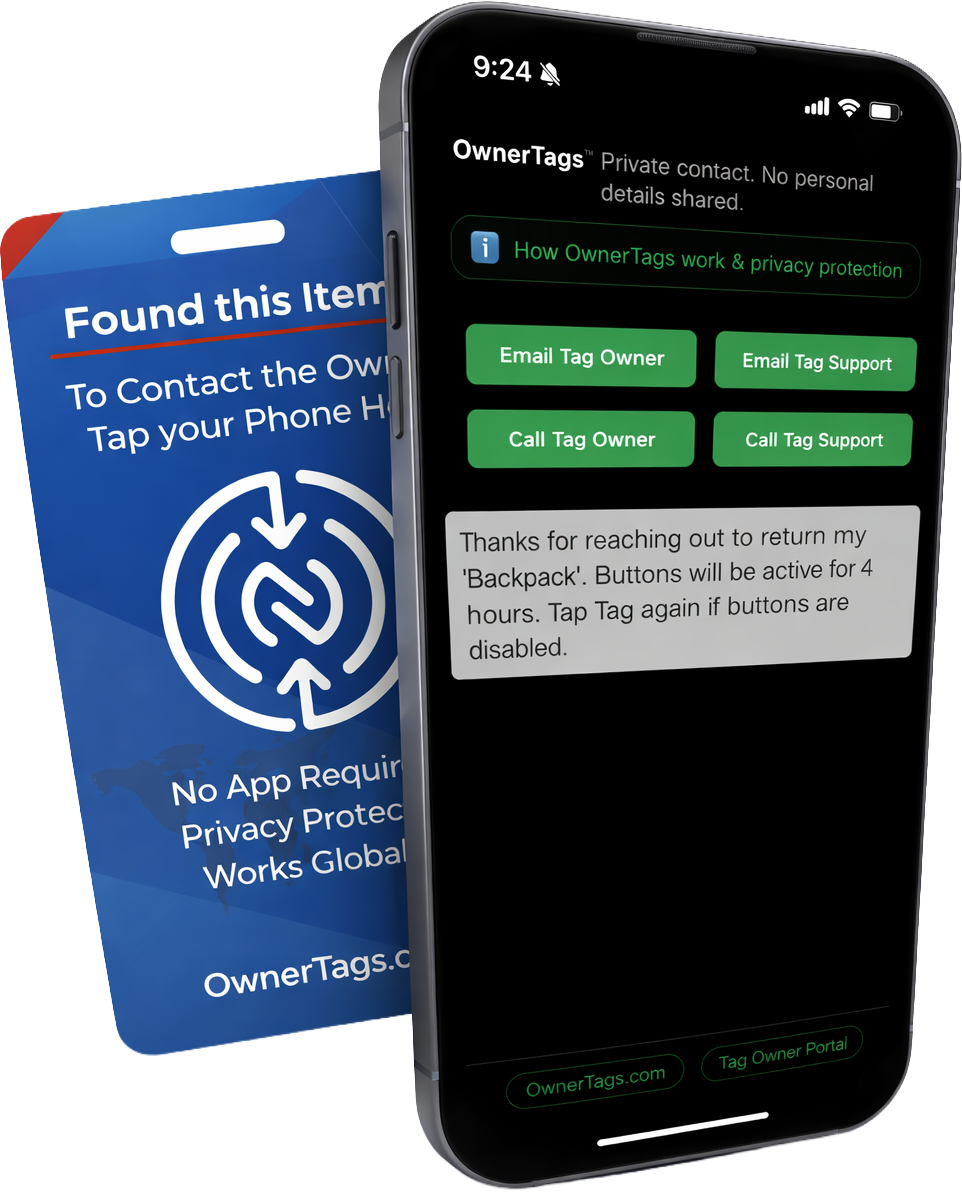
After tapping a tag — simple, secure contact options are presented. OwnerTags facilitates the connection without exposing personal details between the finder and the owner.
Why traditional tags fall short
Traditional contact and luggage tags often include your name, email, phone number, or even a home address. That can help a good person do the right thing, but it also puts your personal information out in the open.
- Your information is public — it can be photographed, copied, or misused.
- No access control — anyone nearby can read them.
- Privacy loss is permanent — once shared, it can’t be undone.
- Some items aren’t tag-friendly — laptops, tablets, cameras, and tools often don’t have a good place for a bulky label.
Where many smart tags fall short
Many QR and NFC tags try to modernize the idea, but they often reveal personal information the moment they’re scanned. That convenience comes at a cost: loss of control and can create unnecessary privacy risk.
- Instant exposure — scanning can immediately reveal contact details to a stranger.
- No access control — there’s often no way to limit what’s shown or when.
- Limited owner control — owners may not be able to update, revoke, or time-limit access.
- Easy to copy or spoof — QR codes can be replaced or redirected to fake or harmful sites.
Lost items often stay lost because there’s no safe way to reach the owner
Many items are found, but never make it back to their owner, simply because there isn’t clear, safe-to-use contact information.
OwnerTags focuses on the missing piece: making it easy for a finder to reach you without requiring your personal details or an app.
What makes OwnerTags different
OwnerTags is designed around a single goal: contact without exposure. The finder gets a simple, secure way to reach you, while you stay in total control of your identity.
- No personal information displayed — nothing printed on the tag, and nothing revealed when it’s scanned.
- No tracking — OwnerTags is for contact, not surveillance.
- No Batteries — nothing to plug in and no batteries to replace. Completely power-free.
- No app required — no downloads, opens instantly in your browser.
- Owner-controlled communication — you decide how you want to be reached.
- Multiple ways to connect — a single tap enables email, private chat, audio calls, and video calls.
- Time-limited communication — each tag interaction expires automatically. No lingering access. No long-term exposure.
- Optional alternate contact — designate a trusted backup (friend, family member, or colleague) who can help if you’re unavailable.
- Privacy-first by design — built for real-world lost-and-found, and owner contact situations.
- One OwnerTags account, multiple tags — use the same privacy-first approach across luggage, backpacks, laptops, tablets, boats, rentals, shared spaces, and more.
Where they're useful
OwnerTags can help in everyday moments where friction-free contact matters — whether something is lost, found, or simply needs attention.
- Travel and luggage
- Backpacks, laptops, phones, and expensive electronics gear
- Expensive items or childrens clothing
- Boats and docked property
- Vacation homes, rentals, and shared spaces
- Tools, equipment, skis, and hobby gear
- Family Tags (Childen, Elderly Parents, Parents with Dimentia)
- For Sale Tags (Cars, Boats, RV's, or anything you display in public)
- Personal connect cards (events, meetups, networking)
Next steps
OwnerTags is currently in pre-release testing. If you’d like to be part of the next round, join the waitlist.
Questions? See our Privacy page for details on data handling and SMS opt-in.